
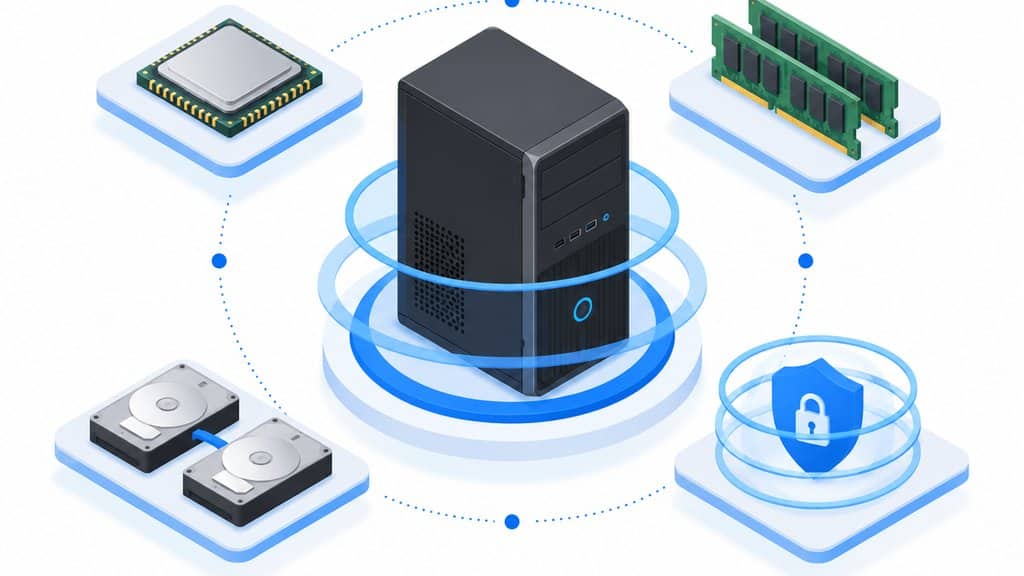
Setting up the right configuration of personal computer systems is one of the most important technology decisions a small business in Denton, TX will make. The hardware, software, and security choices you lock in on day one determine how well your team performs, how safely your data stays, and how much you spend fixing problems later.
This checklist guide breaks down what matters most in a small business PC configuration, from processor and memory specs to backup habits and endpoint protection. Whether you are outfitting a new office on the Denton Square or refreshing machines for a growing team near Ray Roberts Lake, these priorities help you build reliable, secure workstations without overspending.
Key Takeaways
- Start every PC configuration with a business-impact analysis: identify which roles handle sensitive data, run specialized software, or need maximum uptime.
- Memory and storage are the two most common bottlenecks in small business PCs; most office workers need at least 16 GB RAM and solid-state storage for responsive performance.
- Security layers matter more than any single tool: combine encrypted drives, endpoint protection, automatic patching, and multi-factor authentication for every user.
- Document every configuration decision, including software versions, license keys, and network settings, so recovery and future upgrades do not start from scratch.
Why PC Configuration Strategy Matters for Denton Small Businesses
A poorly planned configuration of personal computer systems creates hidden costs that show up months later as slow boot times, crashed applications, security incidents, or failed audits. Small businesses in Denton often run lean, with one person wearing multiple hats, so downtime on a single machine can stall client work across the whole office.
Getting the configuration right the first time means faster onboarding for new hires, fewer help desk tickets, and a clearer path to scaling when your business grows from five employees to fifteen or fifty.
Small Business PC Configuration Checklist
- ✓Define user roles and software requirements before selecting hardware: Complete
- ✓Select processor and RAM based on actual workloads, not generic tiers: Complete
- ✓Specify SSD storage with automatic cloud or network backup: Complete
- ✓Layer security: encryption, endpoint protection, patching, MFA: Complete
- ✓Verify all software licenses and integrate cloud productivity tools: Complete
- ✓Document configurations, settings, and license keys for future reference: Complete
- ✓Schedule replacement cycle at 4-5 years or when OS support ends: Complete
Use this checklist at the start of every new hire setup or hardware refresh to maintain consistent, secure, and documented workstation configurations.

Processor and Memory Choices That Match Real Workloads
The processor and RAM in a business PC should match what the user actually does, not what a retail spec sheet suggests. A front-desk receptionist running a browser-based scheduling app and VoIP softphone needs far less processing power than an engineer running CAD software or a financial analyst working with large spreadsheets and multiple monitors.
For typical small business office work in Denton, a modern mid-range processor with at least 16 GB of RAM provides responsive multitasking and a useful lifespan of four to five years. Creative, technical, or data-heavy roles may need 32 GB or more, plus dedicated graphics hardware, to avoid the frustration of waiting on renders or recalculations.
Storage Speed and Redundancy for Business Continuity
Solid-state drives have become the standard for business PCs because they reduce boot times, speed up application launches, and have no moving parts to fail from vibration or age. A 512 GB SSD is a practical minimum for most roles, with 1 TB or more for users who store large project files locally or work offline frequently.
Redundancy matters as much as speed. Configuring automatic cloud or network backup to complement local storage helps ensure that a single drive failure does not erase a day, a week, or a month of client work.
For businesses handling sensitive records, encrypted backup adds a layer of protection that supports compliance efforts and reduces risk of data exposure.
Security Layers Every Workstation Needs
A single security product does not cover the range of threats facing a small business workstation today. A practical configuration layers full-disk encryption, a modern endpoint protection platform, automatic operating system and application patching, and multi-factor authentication on every account that touches business data.
Physical security deserves attention too. Cable locks, BIOS-level boot passwords, and USB port controls reduce the risk of walk-off theft or unauthorized data copying in shared or public-facing spaces.
These measures add an important layer of protection without requiring constant IT attention once configured.

Software Licensing and Cloud Integration Decisions
Every application on a business PC needs a legitimate license, and tracking those licenses prevents surprise costs, audit failures, and functionality loss when a trial expires. Cloud productivity suites such as Microsoft 365 have become common for Denton small businesses because they bundle email, file storage, and collaboration tools with predictable per-user pricing.
Integrating cloud services into the PC configuration from the start creates smoother file syncing, easier remote work, and simpler offboarding when an employee leaves. The alternative, retrofitting cloud access onto machines configured as standalone islands, usually means more migration work and more chances for data to sit in unapproved personal accounts.
How The Local Circuit Supports Denton Business PC Deployments
The Local Circuit has operated out of Denton, TX since 2010, providing hands-on and remote IT solutions for small businesses, professional practices, and local municipalities across the region. Our all-Texas team handles every project in-house, so you have a familiar face on-site and a direct line to the people who built your network.
We configure workstations as part of our managed IT services, with flat per-user pricing instead of hourly billing, so you know your cost before work starts. Every deployment includes clear documentation handed over at project close, and ongoing managed support keeps the same team monitoring your systems, handling help desk tickets, and supporting your Microsoft 365 environment after installation is complete.

Network Adapter Selection and Wired Connectivity Standards
Modern Denton offices depend on consistent network performance for cloud applications and VoIP services. The network adapter inside each workstation directly affects whether employees experience dropped video calls or sluggish file transfers.
Gigabit Ethernet remains the minimum standard for desktop PCs in professional environments. Many newer motherboards now include 2.5GbE or even 10GbE ports, which future-proof investments as internet speeds from Denton providers continue climbing.
Wi-Fi 6E and Wi-Fi 7 adapters serve mobile workstations and temporary setups throughout offices. These standards reduce congestion in dense device environments common in coworking spaces near the University of North Texas campus.
Dual-band support lets IT administrators segregate traffic between employee devices and guest networks. This separation protects sensitive business data without requiring entirely separate infrastructure investments.
Power over Ethernet considerations matter when deploying IP phones or access points near workstations. Some configurations benefit from PCs that can pass through PoE to peripherals, simplifying cable management.
Bluetooth 5.3 or newer enables seamless pairing with wireless keyboards, mice, and presentation equipment. Denton businesses hosting client meetings appreciate clean desk setups without visible dongles or cables.
The Local Circuit evaluates each client’s network topology before recommending specific adapter configurations. This assessment ensures new workstations integrate cleanly with existing switches, firewalls, and wireless access points.
Peripheral Compatibility and Ergonomic Integration
Workstation configuration extends beyond internal components to the monitors, docks, and input devices employees touch daily. Poor peripheral choices create friction that slows adoption and increases support tickets.
USB-C and Thunderbolt 4 docks now serve as central connection hubs for hybrid work setups. A single cable delivers power, video, data, and networking to laptops that employees carry between home and Denton offices.
Monitor selection should account for color accuracy for creative roles and blue-light reduction for extended use. Dual-monitor arrangements boost productivity for data entry, programming, and financial analysis positions.
Adjustable monitor arms and sit-stand desk converters require VESA mount compatibility. Verifying these specifications during initial configuration prevents costly returns and employee discomfort.
Webcam and microphone quality directly impacts remote meeting professionalism. Built-in laptop cameras often underperform compared to dedicated peripherals, especially in mixed-lighting conditions common in Texas offices.
Uninterruptible power supplies sized for full workstation loads protect against Denton’s occasional severe weather outages. Proper UPS selection considers wattage, runtime needs, and pure sine wave output for sensitive electronics.
The Local Circuit documents each peripheral pairing during deployment to streamline future replacements. This inventory approach helps Denton businesses maintain consistency as teams grow or individual needs change.

Frequently Asked Questions
How often should a small business replace its employee PCs?
Most business PCs remain productive for four to five years with proper configuration and maintenance. Plan replacement when hardware no longer supports current operating systems, when repair costs exceed half the price of a new machine, or when performance bottlenecks measurably slow daily workflows.
Is it better to buy identical PCs for every employee or match specs to roles?
Matching specs to roles usually saves money and improves satisfaction. A standardized base configuration for most users, with upgraded memory, storage, or graphics for specialized roles, gives you purchasing efficiency without forcing expensive hardware on people who will never use it.
What is the simplest way to secure a new business PC before an employee starts using it?
Enable full-disk encryption, install automatic patching, configure multi-factor authentication on all business accounts, and remove unnecessary pre-installed software before the user logs in. These steps reduce risk from the first day and establish habits that are easier to maintain than to retrofit later.
Should Denton small businesses handle PC configuration in-house or work with a local IT provider?
In-house configuration works for businesses with dedicated technical staff and documented standards. Most small businesses benefit from partnering with a local provider who brings proven configurations, security expertise, and ongoing support without the overhead of a full-time IT hire.
How does The Local Circuit price workstation setup and ongoing support?
The Local Circuit uses flat per-user pricing for managed IT services, not hourly billing, so your monthly cost is predictable. We also offer simple month-to-month agreements with no long-term contract, and lifetime network hardware replacement at no cost for supported environments.
How should Denton businesses handle PC configuration for remote or hybrid employees?
Remote and hybrid setups require identical security baselines to office workstations, plus reliable VPN access and cloud-managed endpoint protection. The Local Circuit ships pre-configured systems directly to employee homes with zero-touch deployment options, then provides remote onboarding to verify all business applications function correctly before the first workday.

About the author
Matt Forman - Owner & Chief Techie
Matt Forman is the Owner and Chief Techie at Local Circuit, a Denton, Texas-based managed service provider he leads in delivering small-business technology management and security. For over 15 years, his team has worked alongside small businesses, local municipalities, law firms, and first-responder agencies as their trusted IT partner.