

When a laptop falls in a Denton office, the next few minutes determine whether you lose an afternoon of work or weeks of business data. A dropped machine needs immediate, methodical attention before anyone presses the power button again.
This guide walks Denton business owners through six clear steps to protect data, assess damage, and decide whether repair or replacement makes financial sense.
Key Takeaways
- A dropped laptop should never be powered on until you complete a full visual inspection for cracks, bent ports, and screen damage.
- Grinding or clicking sounds from the hard drive signal imminent failure and require immediate professional intervention.
- A $25 to $35 USB storage adapter can rescue critical files from a removed drive when the laptop itself will not boot.
- Local diagnostic services in Denton help compare repair costs against resale value so owners make data-driven replacement decisions.
Why a Fallen Laptop Is a Business Emergency
A laptop fall is not just a hardware accident. It is a potential data breach, compliance incident, and operational shutdown rolled into one moment of bad luck.
For Denton businesses that store client records, financial data, or proprietary work product, the real cost of a drop is measured in lost files and exposed information, not just a cracked screen.
The Local Circuit, based at 606 N. Bell Ave, Denton, TX, has worked alongside Denton businesses for over 15 years handling physical hardware management and data recovery scenarios.
Our team sees the aftermath of dropped laptops regularly, and the pattern is predictable: the businesses that recover fastest are the ones that follow a checklist instead of reacting on impulse.
This article gives you that checklist, grounded in research-backed steps and local Denton resources.
If you are still unsure about the safest way to handle a fallen device, our related guide Dropped Your Laptop In Denton walks through the immediate next steps in more detail.

Laptop Fall Response Checklist for Denton Business Owners
- ✓Inspect before powering on: Check for cracks, bent ports, and screen damage; do not press power if damage is visible
- ✓Listen for drive failure sounds: Grinding or clicking means immediate shutdown and professional help
- ✓Contact a Denton repair professional: Reach out to a local provider for severe structural or drive damage
- ✓Use USB adapter for emergency backup: Remove drive and connect via $25-$35 USB-to-SATA or USB-to-NVMe adapter
- ✓Secure accounts and assess exposure: Change passwords, revoke sessions, remote wipe if enabled, evaluate client data risk
- ✓Get local diagnostic for repair decision: Compare repair quote to resale value before choosing repair or replacement
Steps based on standard data recovery and hardware assessment practices for business laptop incidents.
Step 1: Do Not Power On, Inspect First
The single most important action after a laptop fall is the action you do not take. Do not press the power button until you have performed a full visual inspection for cracks, bent ports, or screen damage.
Powering on a compromised machine can turn a recoverable situation into permanent data loss. Electricity flowing through a cracked motherboard or shorted component can destroy storage controllers that would otherwise survive the impact.
Look specifically at the hinge area, USB-C and power ports, and any visible flex in the chassis. If you see major cracks, separation at seams, or ports that no longer sit flush, keep the machine off and proceed to professional evaluation.
Business owners should visually inspect a dropped laptop for structural damage and avoid pressing the power button if major cracks or bent ports are visible.
Step 2: Listen for Drive Damage
If you did power on the laptop, or if it was already running when it fell, stop everything and listen. Grinding or clicking sounds from the drive area are emergency signals that the storage device is failing in real time.
These sounds indicate the read/write head is making physical contact with the platter or the spindle mechanism is damaged. Continuing to run the machine in this state can scrape irrecoverable grooves across the magnetic surface where your data lives.
Severe chassis damage or grinding, clicking drive noises after a fall indicate serious risk of data loss and justify immediate professional help from local Denton providers. The Local Circuit offers data backup and recovery services for exactly these scenarios, with technicians based in Denton who can assess whether the drive is salvageable.
If you hear these sounds, power down immediately by holding the power button, do not use the operating system shutdown sequence, and do not attempt further boot cycles.
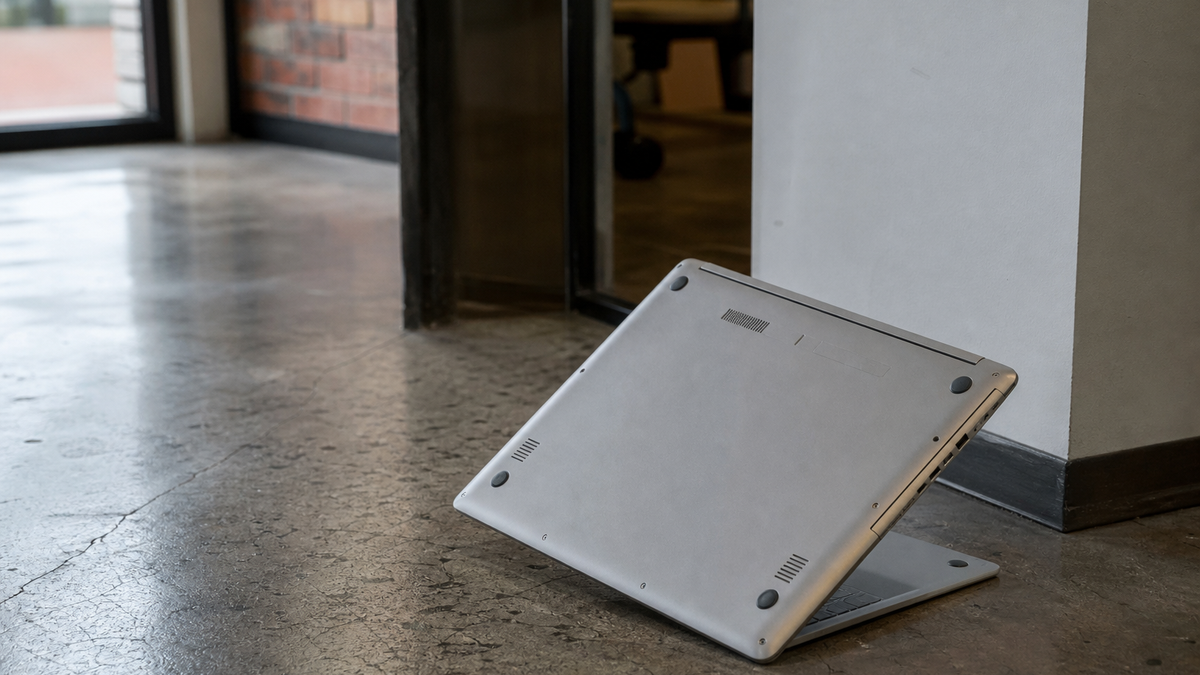
Step 3: Call a Denton Professional for Severe Damage
When structural damage is visible or drive noises are present, the next call should be to a qualified local technician. Denton has multiple named laptop repair and data-recovery providers, and proximity matters because time is a factor in data recovery success.
The Local Circuit at 606 N. Bell Ave, Denton, TX, provides managed IT services including physical hardware management and help desk support.
Our team includes Matt F., Owner and Chief Techie, Trent J., Senior Systems Technician, and Alvaro Z., Systems Technician, among others who handle hardware incidents in-house.
We are CJIS Certified, an InfraGard Member, and Aggie Owned and Operated. These credentials matter when your business handles sensitive data or serves clients in regulated industries like law, healthcare, or municipal government.
For over 15 years we have worked alongside small businesses as their technology partner, providing on-site, remote, and in-house support at a fraction of the cost to keep full-time IT staff.
Step 4: Perform Emergency DIY Data Backup
If the laptop will not boot but the drive itself may be intact, business owners can use a roughly $25 to $35 USB storage adapter to connect a removed laptop drive to another computer and back up important data after a fall.
This requires removing the drive from the fallen laptop, which is straightforward on most business models with a small Phillips screwdriver. SATA and NVMe are the two common interface types, and adapters for each are widely available.
Connect the adapter to a working machine, treat the drive as external storage, and copy critical files in order of business priority: active client work, financial records, email archives, then everything else. Do not attempt to repair the file system or run disk utilities at this stage.
The goal is extraction, not optimization. Every minute the drive spends powered adds risk if the fall caused internal damage that has not yet manifested as audible failure.
Step 5: Secure Business Accounts and Data
After a business laptop is lost or potentially compromised, owners should first secure accounts and client data by changing passwords, revoking sessions, remote wiping, and evaluating data exposure.
This step is often skipped in the rush to fix hardware, but it is essential. A laptop that fell in a parking lot or was damaged in transit may have been accessed by someone else before you recovered it.
Change passwords for all business accounts that were saved or auto-filled on the machine. Revoke active sessions in cloud services so that even if someone has the old password, they cannot use an existing login token.
Use remote wipe if the machine was enrolled in mobile device management. The Local Circuit offers mobile device management services that include remote wipe capability for business devices.
Assess whether client data exposure triggers notification requirements under applicable regulations.
Step 6: Get Local Diagnostic Before Deciding Repair vs. Replacement
Denton business owners are advised to secure data first, then use a local diagnostic to compare repair costs to the machine’s resale value when deciding on repair vs. replacement.
This is where emotion meets economics. A favorite laptop with years of familiar settings feels worth saving, but the rational decision depends on numbers.
A local diagnostic service can quote motherboard replacement, screen replacement, and labor costs against the current market value of the same model.
The Local Circuit provides network assessment and IT project management services that include hardware lifecycle planning. Our flat, per-user pricing means you know your cost before work starts instead of after, and we can factor the diagnostic into broader technology planning.
If repair exceeds 50 to 70 percent of replacement cost, most businesses are better served migrating data to a new machine with full warranty coverage and modern security features. We can handle that migration through our cloud migration services and Microsoft 365 consulting.
Preventing the Next Laptop Disaster
One fall should teach enough to prevent the next. Start with physical protection: padded bags for transport, docking stations that reduce cable-trip risks, and policies against balancing laptops on unstable surfaces.
Then build operational resilience. The Local Circuit offers business continuity services and data backup and recovery services that keep copies of critical data separate from any single device.
Our managed IT services include ongoing monitoring so that when hardware fails, the business does not fail with it.
We serve Denton, TX, Frisco, TX, Plano, TX, Carrollton, TX, Aubrey, TX, Lewisville, TX, Decatur, TX, Sanger, TX, Prosper, TX, Ponder, TX, Gainesville, TX, Whitesboro, TX, and McKinney, TX. Our all-Texas team handles every project in-house, so you have a familiar face on-site and a direct line to the people who built your network.
Simple month-to-month agreements with no long-term contract, plus lifetime network hardware replacement at no cost, mean your protection scales with your business without locking you in.
Frequently Asked Questions
Should I try to turn on my laptop after it fell to see if it still works?
No. Powering on a dropped laptop before inspection can cause short circuits or further damage to already compromised components.
Perform a full visual inspection first, and only consider powering on if there are no visible cracks, bent ports, or screen damage.
What does it mean if my laptop makes clicking or grinding noises after a fall?
Clicking or grinding sounds indicate the hard drive’s read-write head may be contacting the platter or the spindle is damaged. This is an emergency that requires immediate shutdown and professional data recovery assistance to prevent permanent data loss.
Can I recover data from a laptop that will not boot after being dropped?
Yes, in many cases you can remove the drive and connect it to another computer using a USB-to-SATA or USB-to-NVMe adapter. These adapters typically cost between $25 and $35 and allow you to copy critical files before attempting any repair.
How do I protect my business accounts if a dropped laptop might be lost or accessed by someone else?
Change all passwords for accounts saved on the machine, revoke active sessions in cloud services, and use remote wipe if your device is enrolled in mobile device management. Then assess whether any client data exposure requires regulatory notification.
When should I repair a dropped laptop versus replacing it?
Use a local diagnostic service to compare repair costs against the machine’s current resale value. If repair costs exceed roughly half to two-thirds of replacement cost, most businesses benefit from migrating to a new machine with warranty coverage and modern security features.
Does The Local Circuit offer on-site support for dropped laptop emergencies in Denton?
Yes, The Local Circuit provides on-site, remote, and in-house support for Denton businesses, including data recovery, hardware diagnostics, and managed IT services. Our team is based in Denton and serves the surrounding North Texas region.
Sources
- Nexus Tech Solutions, Denton, TX
- Big Time Computer Outlet | BBB Business Profile
- Saving Your Data from a Dropped Laptop, Denton
- I Dropped My Laptop in Denton, TX: What to Do Right Now
- University Computer Stores, Denton
- Techvera, Denton, TX
- Data Recovery Services in Denton, TX
- CPR Cell Phone Repair Denton
- Computer repair, troubleshooting or upgrades pros in Denton
- The Local Circuit, Denton, TX
- Denton, TX Computer Repair, PC Geeks
- What Happens To Your Business If You Lose Your Laptop
For businesses that need ongoing technology support beyond a single incident, Denton Computer service from The Local Circuit covers everything from emergency repairs to fully managed IT.

About the author
Matt Forman - Owner & Chief Techie
Matt Forman is the Owner and Chief Techie at Local Circuit, a Denton, Texas-based managed service provider he leads in delivering small-business technology management and security. For over 15 years, his team has worked alongside small businesses, local municipalities, law firms, and first-responder agencies as their trusted IT partner.