

A single power surge can fry a motherboard, corrupt a hard drive, and take an entire workstation offline in milliseconds. For Denton, TX businesses that rely on PCs for daily operations, the cost of that event goes far beyond the price of replacement hardware.
Understanding how power surges reach your equipment, what damage they actually cause, and which protective layers work best gives you a practical defense plan. This guide covers the real risks, the right equipment, and the maintenance habits that keep your PCs running through Texas storm season and beyond.
Key Takeaways
- Power surges enter buildings through utility lines, but also from internal sources like HVAC compressors and large motors cycling on and off.
- A surge protector rated in joules is not the same as an uninterruptible power supply (UPS); each solves a different part of the power-protection problem.
- Whole-building surge protection at the electrical panel adds a first line of defense, while point-of-use protectors guard individual workstations.
- Regular inspection of surge protector status lights and UPS battery health prevents a false sense of security from worn-out equipment.
How Power Surges Actually Damage PC Components
A power surge is a brief spike in voltage that exceeds the tolerance built into consumer and business electronics. Most PC power supplies are designed to handle input between 110 and 120 volts; a surge that pushes that to several hundred volts can overwhelm capacitors, voltage regulators, and chipset logic in an instant.
The motherboard is usually the first casualty because it distributes power to every other component. Once voltage regulators fail, unregulated current can reach the CPU, RAM modules, storage drives, and any connected peripherals, creating a cascade of damage that is not always visible until the system refuses to boot.
Solid-state drives and traditional hard drives are both vulnerable, though in different ways. An SSD can suffer controller chip failure from voltage overshoot, while a spinning hard drive may experience a head crash if the surge disrupts the precise servo mechanics that keep read-write heads nanometers above the platter surface.
Data corruption is often the hidden cost. Even when hardware appears functional after a surge, files may carry silent errors that surface days or weeks later, especially if the surge occurred during an active write operation to a database or project file.
Power Surge PC Protection Checklist for Denton Businesses
- ✓Install whole-building surge protector at main electrical panel: Required, hire licensed electrician
- ✓Verify all workstation outlets have three-wire grounded receptacles: Test with outlet tester or electrician verification
- ✓Deploy point-of-use surge protectors rated 2000+ joules at every PC: Check joule rating on device label before purchase
- ✓Connect critical workstations to line-interactive or online UPS units: Prioritize database, accounting, and design workstations
- ✓Include RJ45 Ethernet surge protection for wired network connections: Use protectors with integrated network ports or inline modules
- ✓Label installation dates on all surge protectors and schedule replacement: Replace every 3-5 years or after known surge event
- ✓Test UPS battery health annually and replace batteries on schedule: Typical battery lifespan 3-5 years depending on environment
- ✓Unplug non-essential equipment when severe weather warnings issue: Last-resort protection when storms approach Denton area
- ✓Document shutdown procedures so staff can save work before outages: Post laminated checklist at each critical workstation
- ✓Schedule professional assessment of power infrastructure annually: Include panel condition, grounding integrity, and load balance
This checklist covers common protective measures; consult a licensed electrician for code-compliant installation of whole-building protection and a qualified IT provider for workstation-level deployment.

Common Surge Sources Inside and Outside Denton Buildings
External surges from lightning strikes and utility grid switching are the most dramatic sources, but they are not the most frequent. A nearby lightning strike can induce current in buried power lines, and utility equipment switching to manage load during peak Texas summer demand can introduce brief transients that travel miles to your outlet.
Internal sources cause more day-to-day damage than most business owners realize. Large motors in air conditioning compressors, elevator systems, and industrial equipment create localized voltage spikes every time they cycle on or off.
In a typical Denton office building, the HVAC system starting on a July afternoon can send a brief surge through shared branch circuits.
Electrical panel age and wiring quality affect how surges propagate through a building. Older panels with corroded bus bars or loose neutral connections offer less impedance to transient voltage, allowing spikes to reach outlets with greater intensity than they would in a newer, well-maintained electrical system.
Power restoration after an outage is itself a surge risk. When grid power returns, voltage can momentarily overshoot normal levels as regulators stabilize, which is why equipment left plugged in during a blackout faces heightened danger when the lights come back on.
Surge Protectors, UPS Units, and What Each One Actually Does
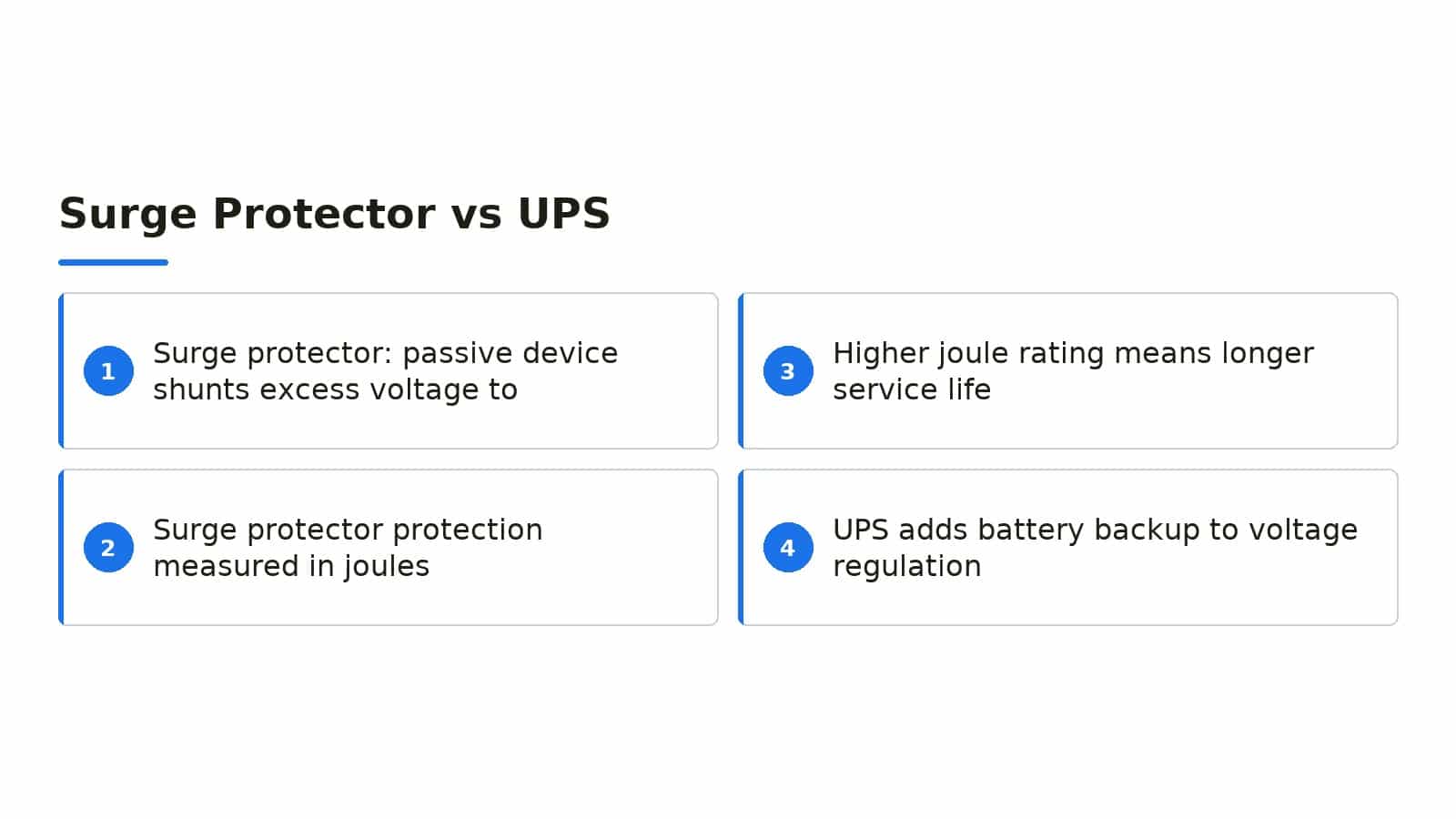
A surge protector is a passive device that shunts excess voltage to ground when a transient exceeds its clamping threshold. The protection is measured in joules, which indicates how much energy the device can absorb before its metal-oxide varistors degrade beyond useful function; a higher joule rating generally means longer service life, not stronger protection per event.
A UPS adds battery backup to voltage regulation, giving PCs time to shut down cleanly during an outage and bridging brief sags or swells that a simple surge protector cannot address. For business workstations running local databases or critical applications, the ride-through time of even a few minutes prevents file corruption and lost work.
Line-interactive UPS designs correct minor voltage variations without switching to battery, which extends battery life and handles the brownout conditions common during Texas summer peak load. Online or double-conversion UPS units provide the cleanest power by completely isolating connected equipment from the utility feed, though at higher cost and energy consumption.
Neither device lasts forever. Surge protector indicator lights can show protected status even after internal components have degraded from repeated minor events, and UPS batteries typically need replacement every three to five years depending on temperature and discharge cycles.
Building a Layered Protection Strategy for Business PCs
Effective protection uses multiple layers rather than relying on a single device. The first layer is a whole-building surge protector installed at the main electrical panel or meter base, which catches external transients before they enter branch circuits; this is typically installed by a licensed electrician and inspected to local code.
The second layer is point-of-use protection at each workstation, combining a quality surge protector or UPS with proper grounding. All equipment on a desk, including monitors, docking stations, and powered peripherals, should connect to the same protected strip to prevent ground potential differences that can create damaging current paths between devices.
The third layer is cable and data line protection. Surges can travel on Ethernet, coaxial, and telephone lines just as easily as power conductors, so network equipment and PCs connected via wired Ethernet benefit from surge protectors that include RJ45 protection ports or separate inline protectors on communication lines.
A fourth layer, often overlooked, is operational discipline. Unplugging non-essential equipment when severe weather threatens, ensuring backup power plans cover critical systems, and training staff to recognize the smell of overheating electronics or flickering lights as early warning signs all reduce the chance of catastrophic damage.

How The Local Circuit Helps Denton Businesses Stay Protected
The Local Circuit has worked alongside Denton, TX businesses for over 15 years as a technology partner, handling physical hardware management, help desk support, network security, and cloud productivity services. Our Denton-based team provides on-site, remote, and in-house support with flat per-user pricing, so businesses know their IT costs before work starts instead of after.
We assess power infrastructure as part of our network and hardware management services, identifying whether your current surge protection and UPS coverage match the actual criticality of your workstations and servers. Our team includes Matt F., Owner and Chief Techie, Trent J., Senior Systems Technician, and Alvaro Z., Systems Technician, all based in Texas and accountable for results.
For businesses that need network design or infrastructure upgrades, we provide enterprise-level network design at small-business pricing, with clear documentation handed over at project close and ongoing managed support available after installation. Our simple month-to-month agreements include no long-term contract, and we offer lifetime network hardware replacement at no cost.
We serve businesses across Denton, TX, Frisco, TX, Plano, TX, Carrollton, TX, Aubrey, TX, Lewisville, TX, Decatur, TX, Sanger, TX, Prosper, TX, Ponder, TX, Gainesville, TX, Whitesboro, TX, and McKinney, TX, including law firms, veterinary clinics, doctors offices, local municipalities, first responder agencies, and locally owned small businesses.

Frequently Asked Questions
How can I tell if my surge protector is still working?
Look for an indicator light labeled protected or grounded, but understand that this light only confirms the outlet has a ground path, not that the internal metal-oxide varistors are still functional. Replace surge protectors every three to five years, or immediately after any known major surge event, since cumulative damage degrades protection silently.
Do I need a UPS for every PC in my office?
Prioritize UPS units for workstations running critical applications, local databases, or unsaved work that cannot be interrupted. For general productivity PCs where a brief outage only causes inconvenience, a quality surge protector may suffice, though a UPS adds valuable uptime during the brief flickers common in Texas summer grid conditions.
Can power surges damage equipment that is turned off?
Yes, if the power cord remains plugged in, the equipment is connected to the electrical path that carries surges. The only complete protection is physical disconnection from the outlet, which is why unplugging valuable electronics during severe weather warnings remains sound practice despite modern protective devices.
Should I install whole-building surge protection myself?
Whole-building surge protectors connect at the main electrical panel and require working inside an energized or de-energized service entrance, which carries serious electrocution risk and must comply with National Electrical Code and local amendments. This work should be performed by a licensed electrician, not by IT staff or business owners.
What does The Local Circuit charge for power protection assessments?
The Local Circuit offers flat per-user pricing rather than hourly billing, so your cost is known before work begins. Every network and infrastructure project includes a free on-site assessment to map your environment and produce a written scope of work that you approve before any work starts.
Contact us to discuss your specific power protection and IT management needs.

About the author
Matt Forman - Owner & Chief Techie
Matt Forman is the Owner and Chief Techie at Local Circuit, a Denton, Texas-based managed service provider he leads in delivering small-business technology management and security. For over 15 years, his team has worked alongside small businesses, local municipalities, law firms, and first-responder agencies as their trusted IT partner.